
Identify TCU
Read the connected TCU’s identification before working with its ROM.
Read, back up and write your SST TCU BIN through OpenPort OBD.
Flashing software for supported Mitsubishi TC-SST controllers, with adapter selection, ROM checks and clear operation logs in one home screen.
No BIN needed to order the flasher or flasher + XMLs.
TCU XMLs, tuning & bundles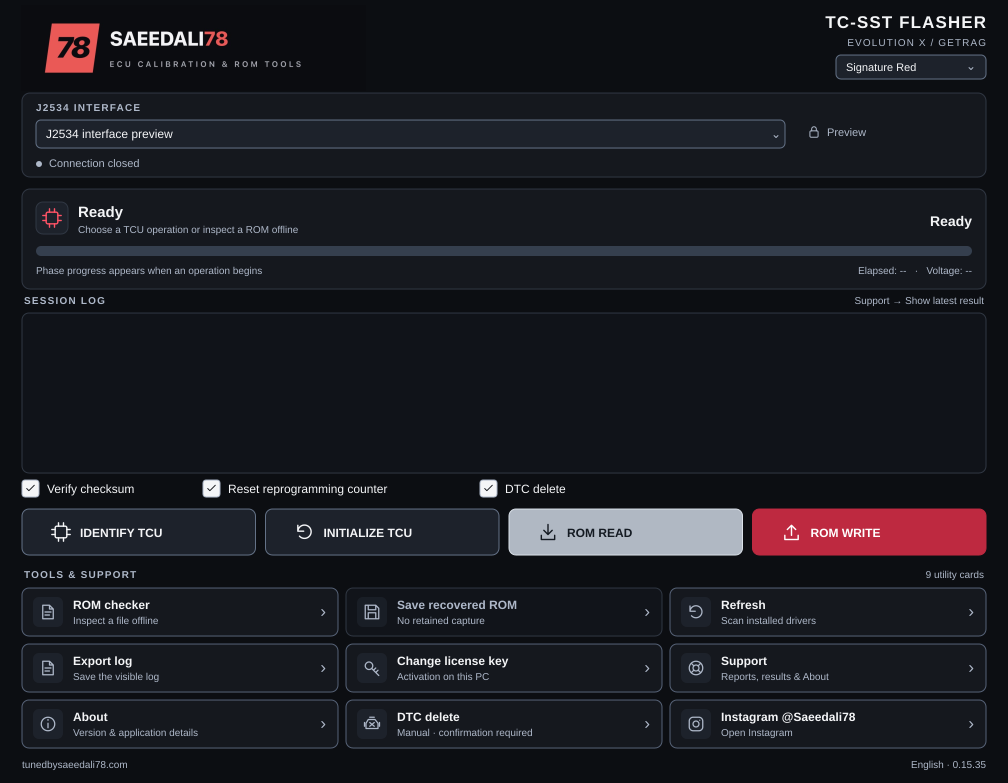
The main TCU actions and the tools that support your read and write workflow.
Read the connected TCU’s identification before working with its ROM.
Run the supported TCU initialization procedure with the application’s ignition prompts.
Read the TCU ROM and save a BIN backup for your tuning workflow.
Write a compatible TCU BIN with file-size validation and operation progress.
Inspect a BIN locally for ROM identification, file size and checksum information.
Export a retained read capture when the original save could not be completed.
Send DTC-clear requests after confirmation. Active faults can remain or return.
Save the operation log for your records or a support request.
Activate the software on your PC, view license status and access support tools.
Use Windows 10/11 and a compatible J2534 adapter with its driver installed. Controller and adapter compatibility are checked before delivery.
Supply your controller and setup details at checkout.
After purchase and compatibility confirmation, get your EXE and complete PC activation through your order.
Select the adapter, identify the TCU and keep an untouched ROM backup before writing a compatible file.